

Introducing Rebound AntiScam for Chrome: Your Personal Scam Protector
Rebound AntiScam for Chrome is a browser extension that provides always-on protection from scams. Unlike most programs, we actually detect scams in the content of messages, emails, and on websites.

Scams don’t just happen on shady corners of the Internet. They show up on Google search results, in your LinkedIn messages, on dating apps, in WhatsApp messages, on fake shopping sites, and in emails that perfectly impersonate your bank. Bad actors have gotten very good at looking real.
By the time you realize something is wrong, you’ve already clicked, already entered your information, or already sent money. And unfortunately, in most cases, it is really difficult to get your money back. Data from GASA shows us that 78% of scam victims are unable to recover any funds.
That’s why we built Rebound AntiScam for Chrome. It’s a free browser extension that works silently in the background, scanning the websites you visit and alerting you before you get burned.
I’m excited to share that it’s now available for anyone to download from the Chrome Web Store.
What It Does
Rebound AntiScam is like having a scam expert looking over your shoulder while you browse. It watches for tactics that bad actors use, including phishing pages, fake investment schemes, tech support scams, romance and impersonation fraud, gift card scams, and high-pressure urgency tactics designed to make you act before you think, among others!
The extension has two modes:
Autoscan runs quietly in the background. Every few seconds, Rebound scans the website and looks for indicators of scams. You don’t have to do anything. If a threat is detected, you’ll get an alert with a clear explanation of what’s wrong and a recommendation for what to do.
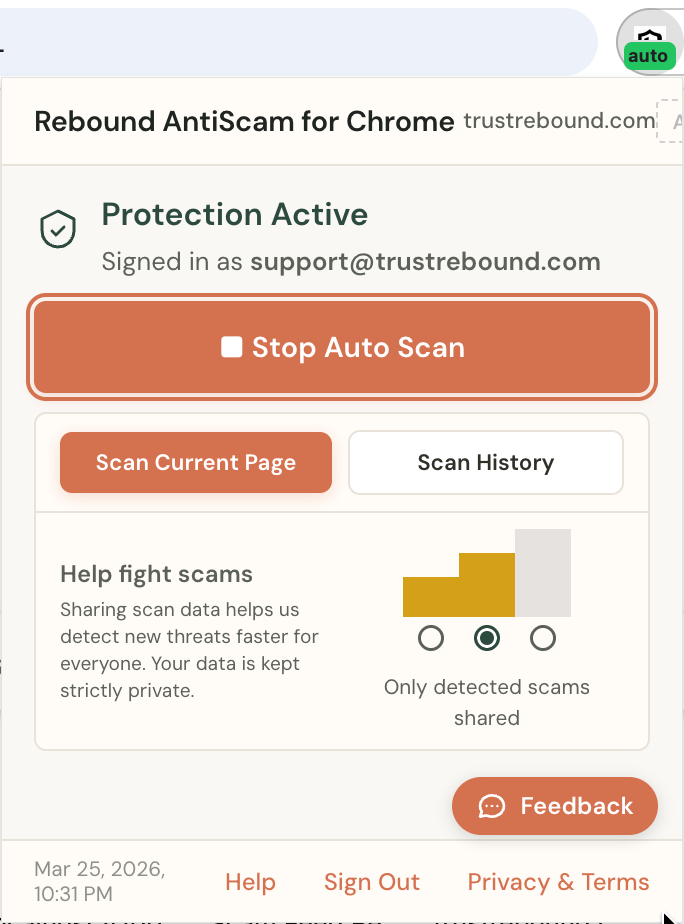
Manual Scan lets you scan any page on demand. If something feels off about a website, hit the scan button and let Rebound take a look.
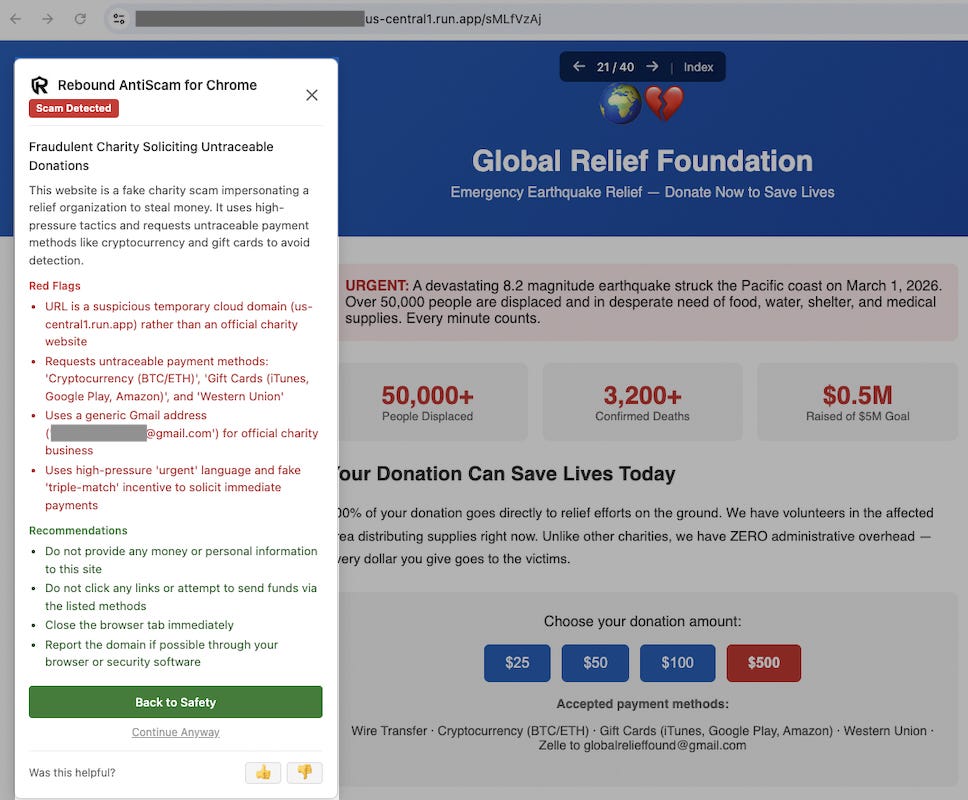
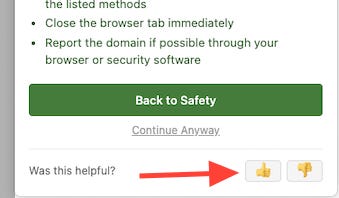
When Rebound detects a scam, you’ll see a persistent alert (it won’t disappear after a few seconds like a typical browser notification). The alert tells you exactly what type of scam it is, what the red flags are, and gives you clear recommendations. You can click “Back to Safety” to navigate away, or choose to continue if you believe the alert is a false positive. If you think we got it wrong, please leave us feedback so we can get better!
How It Works (And Why This Is Different)
Most security tools work by checking URLs against lists of known malicious websites or by examining attachments and links for malware. If the URL is on the list, you get a warning. If it’s not on the list, you don’t. That sounds reasonable, but it has a massive blind spot: it doesn’t work well for scams.
Bad actors constantly spin up new domains. A phishing page that went live an hour ago won’t be on any blocklist yet. And what about scam messages that show up inside platforms you’re already using? A romance scam in your Facebook Messenger. A fake job offer in your LinkedIn DMs. A “tech support” message in WhatsApp Web. An investment scam on Telegram. None of those will ever trigger these other tools because the URL is facebook.com or linkedin.com, both legitimate sites.
Rebound doesn’t scan URLs. Rebound reads the actual content on the page.
When you visit a page, the extension reads the visible text (including text that bad actors try to hide using tricks in the website’s code). It sends that text to our detection engine, which uses AI to analyze the content as a trained fraud investigator would. It looks for manipulation tactics, false urgency, impersonation signals, and deceptive patterns that are common across different types of scams.
This means Rebound catches scams that no blocklist-based tool can catch. A scam message that shows up inside your Gmail inbox, a fake crypto investment pitch on a social media platform, a tech support scam in a web chat window. Rebound reads what’s on the screen and evaluates whether the content itself is trying to deceive you.
The analysis is almost instantaneous. If a threat is detected, you get an immediate alert. If the page is safe, Rebound stays quiet, and you keep browsing without interruption.
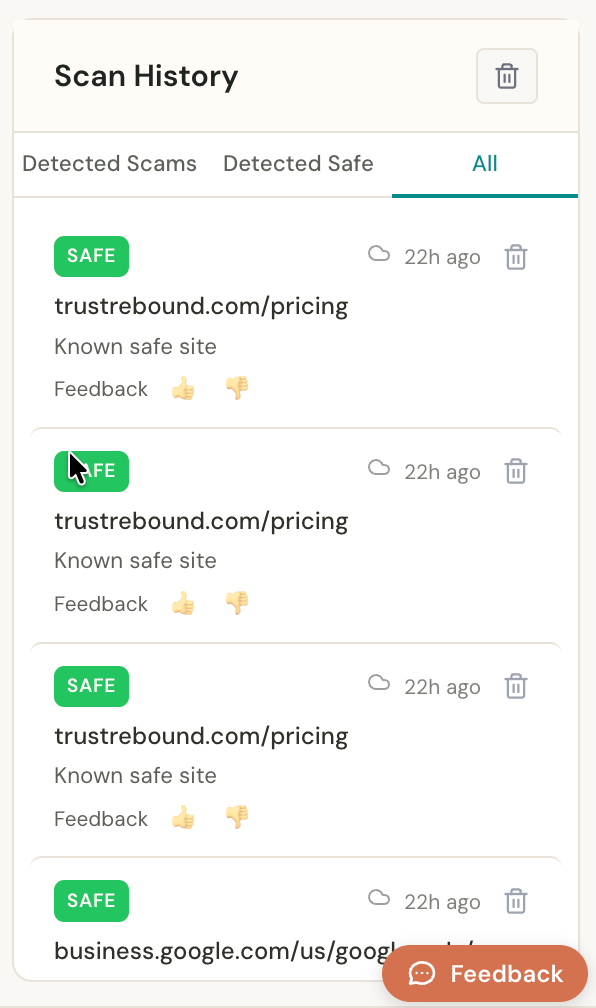
You can view your scan history anytime inside the extension. It’s organized into tabs (Scam, Safe, All) so you can review what Rebound has found.
Your Privacy
I’ve spent over 15 years working in cybersecurity, and before that, I investigated cybercrimes as a Special Agent in the Secret Service. I’m also a deep advocate for individual privacy and security, and have been publishing a Substack on that topic for over 3 years. I deeply understand that respecting your privacy is critical for any product, and especially a security product. This is why we have built Rebound AntiScam with privacy at the core.
You Control What’s Shared
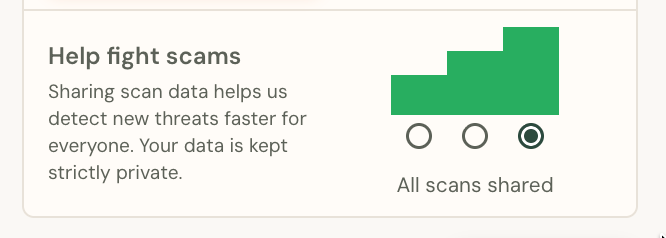
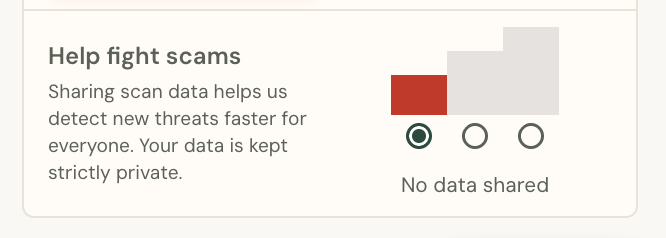
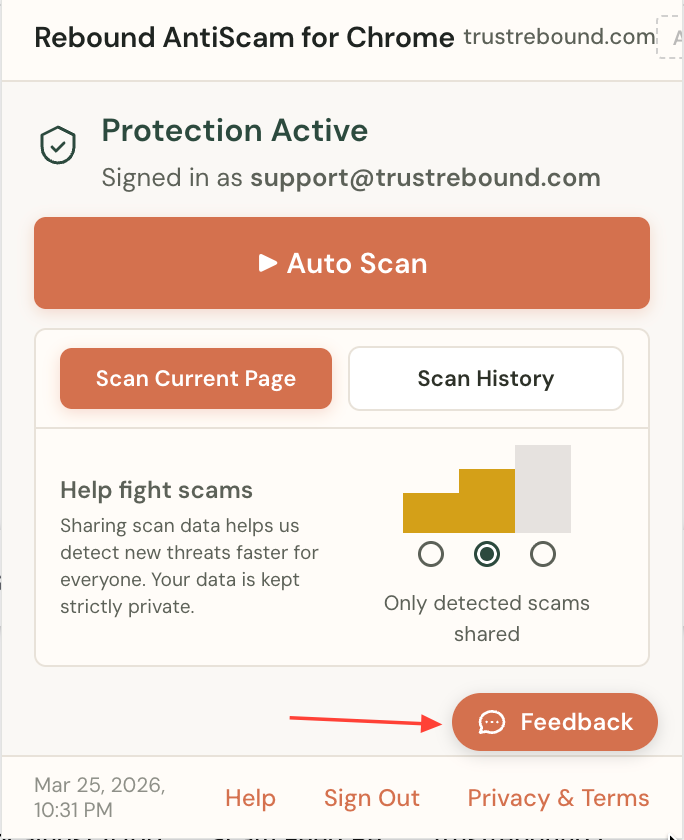
You are in complete control of what data is shared with Rebound. We give you three options:
“Threats Only” (Default): When Rebound flags something as a scam, that alert data is shared with us so we can improve our detection engine. Your normal browsing activity is never shared. This is the default because it helps us get better at catching scams while keeping your regular browsing private.
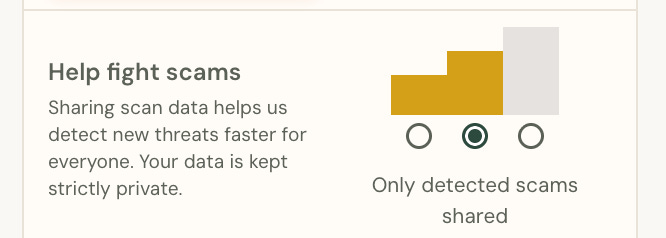
“All”: This shows scan results for all pages, including those that aren’t scams. This is the most helpful option for improving our detection, because understanding what a “safe” page looks like helps us reduce false alarms. Your data is used only to help us improve the product, and we never sell it.
“Off”: Nothing is shared with Rebound. The extension still works and still protects you. Your scan history is stored locally on your device and never leaves your browser.
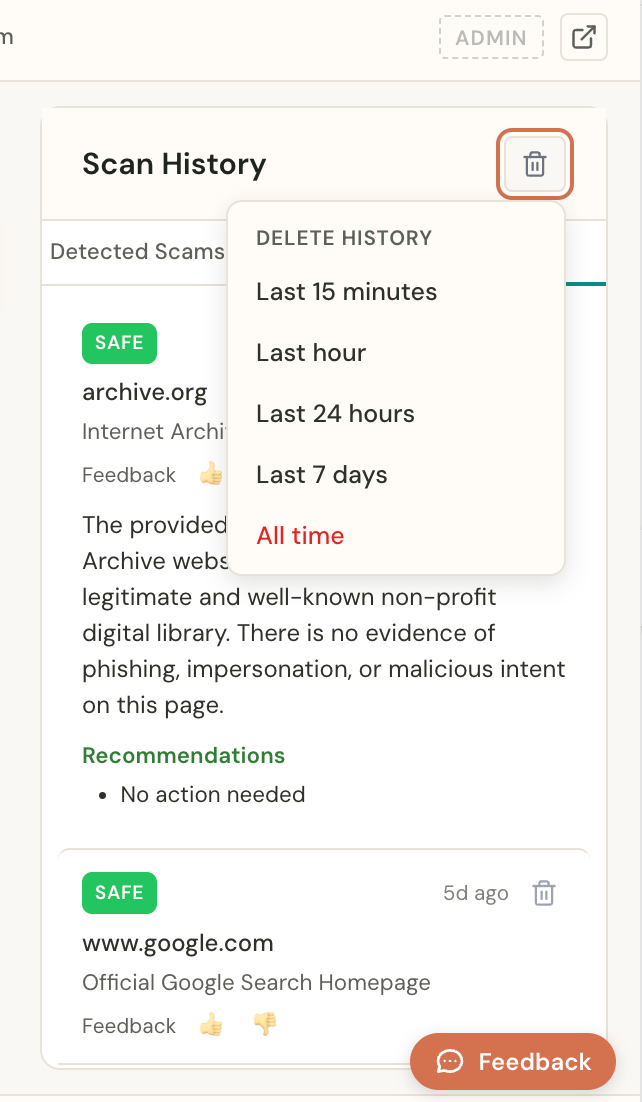
You can change your sharing preference at any time in the extension settings. Anything shared with Rebound is marked with a cloud icon in your scan history, so you always know exactly what we can see (and you can delete it at any time).
You Can Delete Your Scan History At Any Time
Your scan history is stored locally on your device. You own it. You can open your scan history inside the extension and delete individual records, or delete everything in bulk. It’s your data, and you should be able to remove it whenever you want. No hoops to jump through, no “submit a request and wait 30 days.” Just delete it. You have total control.
Zero Data Retention (ZDR) Processing
When Rebound scans a page, the content is sent to our AI detection engine for analysis. But here’s an important detail: we use Zero Data Retention (ZDR) processing. This means the content of your pages is processed and then immediately discarded. It is not stored, logged, or used for any purpose beyond providing you with the result of that scan.
Our detection engine runs on Google Cloud’s Vertex AI, which supports Zero Data Retention at the infrastructure level. In other words, even the AI infrastructure we use is designed to forget your data as soon as it’s done analyzing it.
The Rest of It
Rebound does not track your browsing activity.
We do not sell your data. Period.
We are a Public Benefit Corporation with consumer protection built into our legal charter. Protecting your data isn’t just a feature for us. It’s the law that governs our company.
A Note on Why Sharing Helps
If you’re comfortable turning your sharing setting to “All,” it makes a real difference for us. We’re a small team building something that’s never been built before. Every scan you share, whether it’s a scam or a safe page, helps our detection engine learn. The more data we can train on, the better we get at protecting everyone.
If you realize you shared something you didn’t want to, you can just go to scan history and delete the record.
If you’re comfortable, turn it to “All.” If you’re not, “Threats Only” or “Off” is available to you, and you’re fully protected no matter what.
Every person who contributes data is helping us build something that protects the next person.
How to Get It
Getting started takes about 30 seconds:
Go to the Chrome Web Store and search for “Rebound AntiScam”, or click the link below.
Click “Add to Chrome.” The extension works with Google Chrome and Chromium-based browsers like Brave.
Create an account and log in with just one click.
Turn on Autoscan in the extension settings, and you’re protected.
That’s it. Rebound runs in the background from there, protecting you.
We’re Just Getting Started
This is our first publicly available product, and we’re building it with feedback from real users. If you try the extension and something doesn’t work as expected, or you get an alert about something that clearly isn’t a scam, use the Feedback button inside the extension and the thumbs up/thumbs down on alerts. That feedback goes directly to our team and makes the product better for everyone.
Scam Assistant
If you have a suspicious message, email, or screenshot you want analyzed, check out our Scam Assistant. It’s a free tool (no account needed) where you can paste any suspicious content and get an instant AI analysis that tells you whether it’s a scam and what to do next.
This tool is also a great resource to help you figure out what to do if you think you might have been scammed.
We built Rebound because we believe everyone deserves real protection from scams, not just security theater. Our moms and dads, our friends and family, shouldn’t have to be cybersecurity experts to stay safe online.
If you want to get a deep discount on our paid products when they launch, you can sign up now on our website. You’ll keep that discount forever as a reward for being an early adopter.
Stay Safe!
Tate
Cofounder and CEO, Rebound